安装PowerShell7并在vscode中使用 安装oh-my-post实现主题和历史命令提示

xiaoqinvar / 2025-11-29
4 min read •
Description
安装PowerShell7并在vscode中使用,安装oh-my-post实现主题和历史命令提示
安装PowerShell7并在vscode中使用 安装oh-my-post实现主题和历史命令提示
安装PowerShell7并在vscode中使用
- 安装
7:https://github.com/PowerShell/PowerShell/releases - 我选择的
PowerShell-7.2.1-win-x64.msi版本
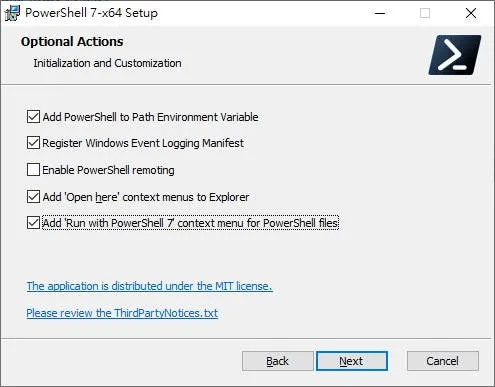
- 打开:
win + R输入pwsh即可,如果提示未找到命令,把刚才安装的目录配置到环境变量path里。例如我的:D:\powershell 7\7 - 打开VsCode ->
setting进入设置 -> 输入@feature:terminal default profile
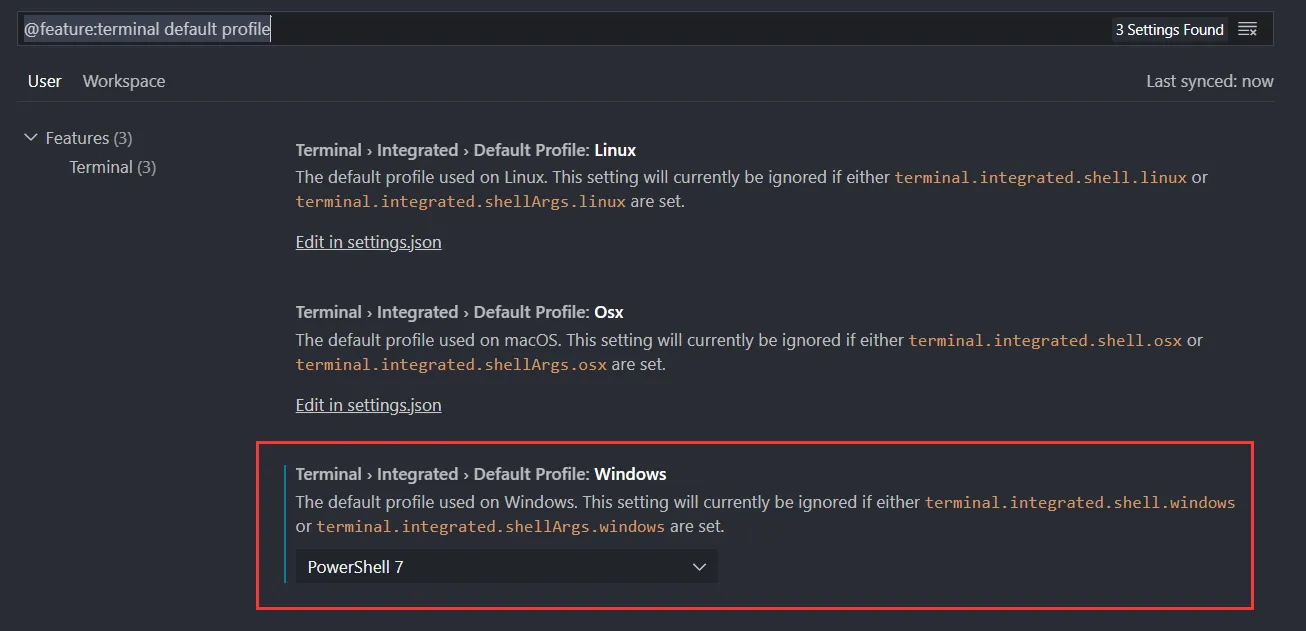
默认是没有这个选项的,点击上方的
Edit in setting.json进入手动配置
- 添加配置
VsCode 官方配置:https://code.visualstudio.com/docs/editor/integrated-terminal#_terminal-profiles
"terminal.integrated.profiles.windows": {
    "PowerShell 7": {
        // 我的powershell 7的exe文件, 记得这行注释删掉
        "path": "D:\\powershell 7\\7\\pwsh.exe"
    }
},- 再回到刚才的设置
@feature:terminal default profile就有自己配的了,选择即可
安装oh-my-post实现主题和历史命令提示
- 选择高级终端:你可以选择
window 自带的Windows Terminal、Tabby都可以,这里以windows terminal为例
原因:默认的
powershell7 /power shell5.1对字体的要求很特殊,基本上满足不了显示所有emoji、特殊字体 https://blog.walterlv.com/post/customize-fonts-of-command-window
- 如果你打算用原始的powershell那么你就可以放弃了,即便弄出来了各种解析不出来的字体看着都很丑
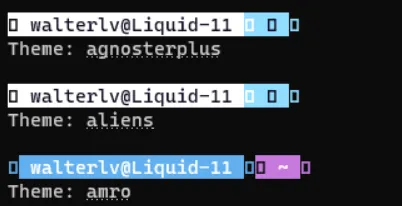
- 添加字体:
JetBrainsMonoMedium Nerd Font
参考我的
Tabby终端使用zsh主题字体无法识别问题这篇文章, 提供的JetBrainsMonoMedium Nerd Font字体
- 安装oh-my-post
Install-Module oh-my-posh -Scope CurrentUser我这里不安装git插件的原因是:基本上VsCode的
GitLens、GitHistory,WebStorm已经有很完善的git工具,缺的是历史命令
如果提示是否允许安装,输入 Y 即可
- 安装主题
$PROFILE

# 我的大概是: C:\Users\17683\Documents\PowerShell\Microsoft.PowerShell_profile.ps1
查询你的 PowerShell Profile 文件位置
- 修改配置文件:让每次新启动 PowerShell 时都自动启用此模组
# 主题
Import-Module oh-my-posh
Set-PoshPrompt -Theme iterm3

# 提示插件: PSReadLine 如果是使用 PowerShell 7.1 或以上版本则自带了 PSReadLine 2.1,不需要手动安装。
# 如果你是7.1以下的powershell7 就需要安装
# Install-Module PSReadLine
# 设置预测文本来源为历史记录
Set-PSReadLineOption -PredictionSource History
# 设置向上键为后向搜索历史记录
Set-PSReadLineKeyHandler -Key UpArrow -Function HistorySearchBackward
# 设置向下键为前向搜索历史纪录
Set-PSReadLineKeyHandler -Key DownArrow -Function HistorySearchForward此处有关PSReadLine参考:https://zhuanlan.zhihu.com/p/137251716 PSReadLine官网:https://github.com/PowerShell/PSReadLine
- 查看所有自带的主题
Get-PoshThemes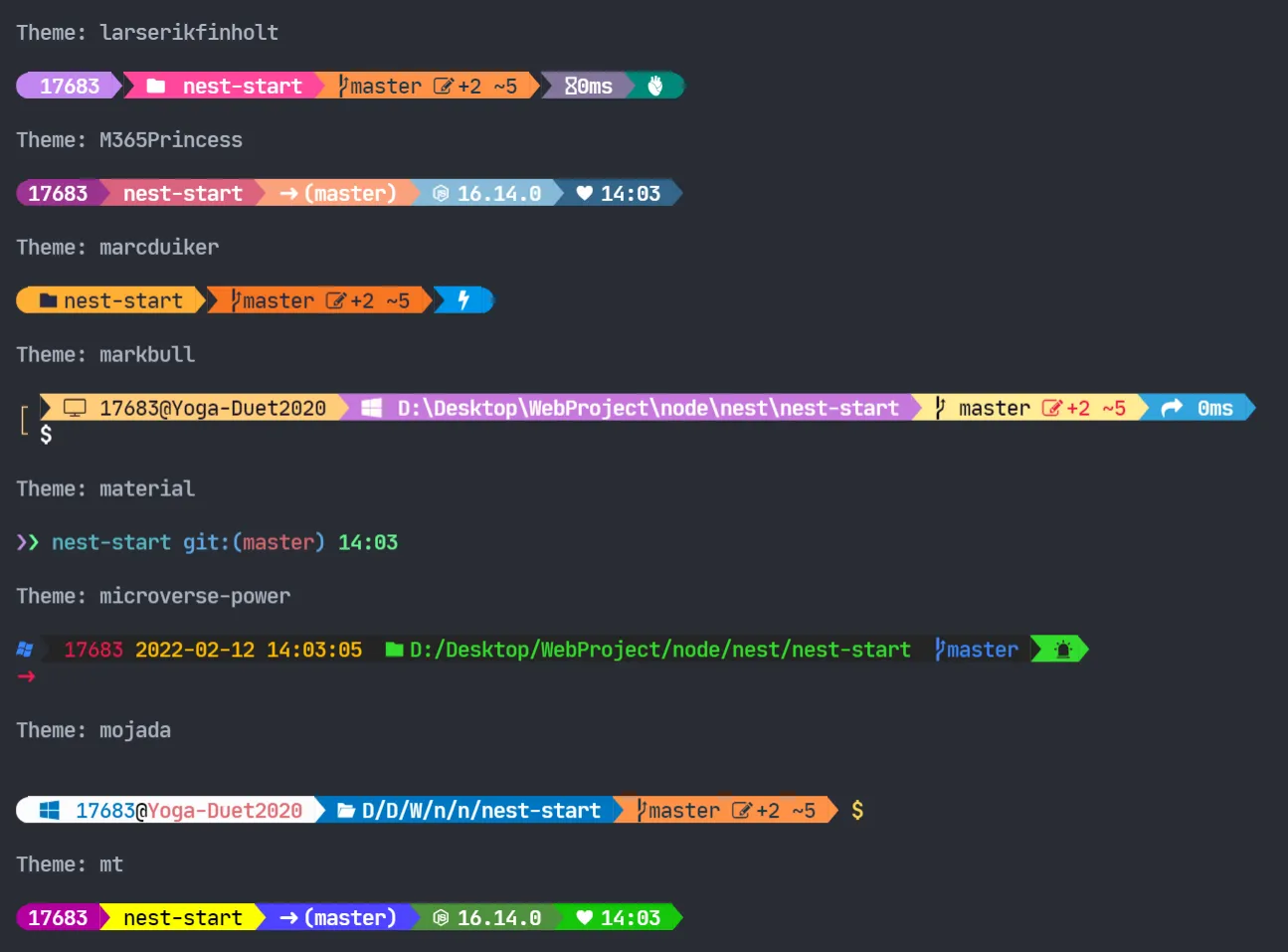
Tip:VsCode终端安装上面提到的字体
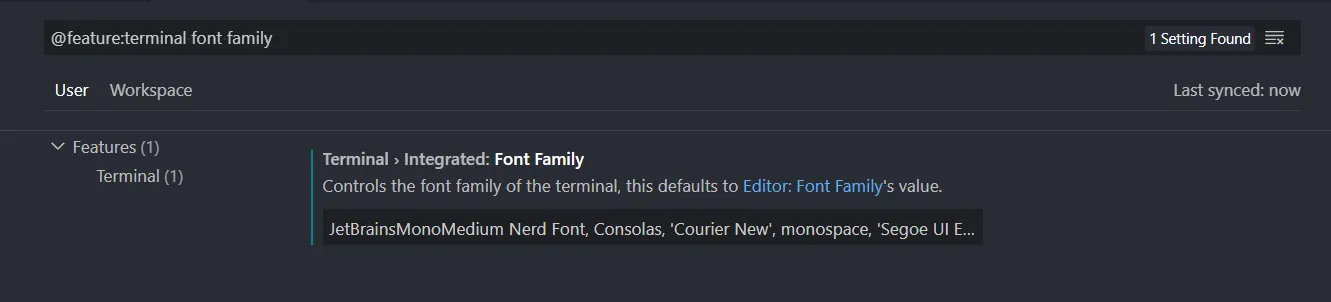
- vscode setting
- 输入:@feature:terminal font family
- 将
JetBrainsMonoMedium Nerd Font放在第一位
-
完结
-
如果你还需要一些特别的插件,比如git的一些插件
插件汇总比较不错的博客:https://blog.kwchang0831.dev/blog/dev-env/pwsh-oh-my-posh
- 测试主题和提示历史记录
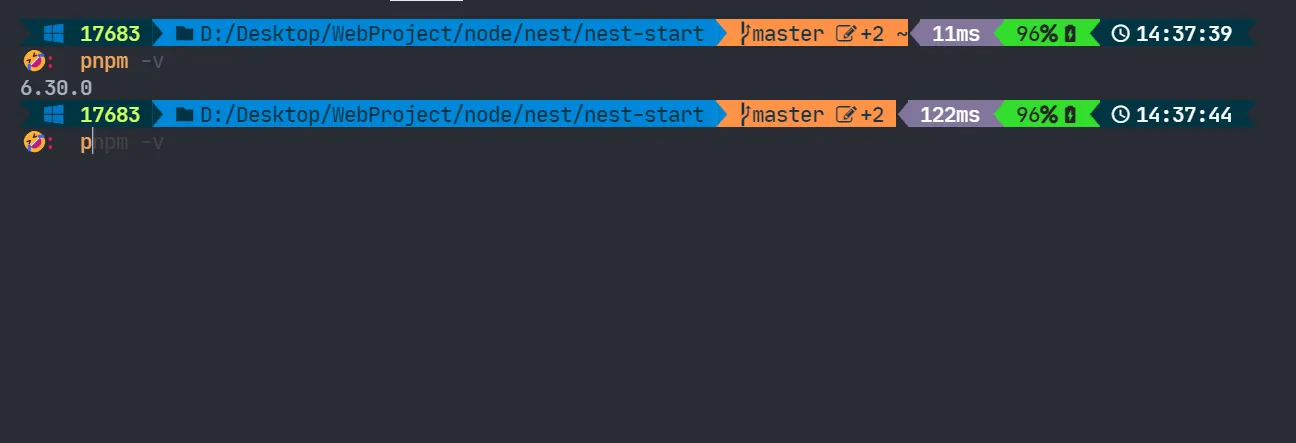
- 这不应用场景秒出吗?
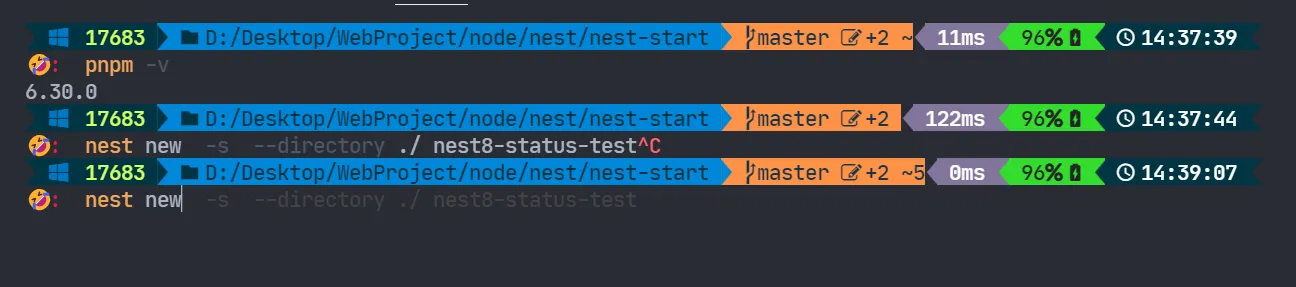
创建nest应用,跳过帮我安包,创建在当前文件夹下,package.json中的name叫做xxxx